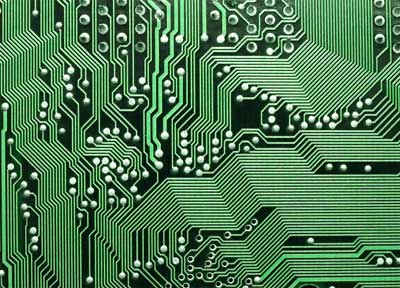
A PCB board connects components and currents; before the PCB was invented, circuits were created by painstakingly wiring from point to point, leading to short circuits and other problems. Read on for some more information on how to design PCB boards. Step 1
The software which you are using for your electronic project will have a function for creating a PCB board from a schematic. The PCB, as based on your schematic, will show decals and the wire lines which will connect pins. Step 2
Remove the decals from your PCB board and organize them; capacitors with capacitors and so on. Adjust the size of your board. Step 3
Create primary subsets for your circuit. Separate out the parts used for three purposes: the power supply, the input-output circuitry and the logic circuitry. Ignore the parts used for other purposes for now. Step 4
Work out how your PCB should look when it is finished. Visually imagine where each subset will be placed and connected. If you will be placing your completed PCB in a limited space, make sure it will fit properly. Step 5
Make holes for mounting your subsystems. If your electronic project will generate a lot of heat, you should use a heat sink or exchanger. Step 6
Starting with the larger ones, place the subsystems directly on your PCB. A tip: placing analog circuits close to high-speed digital circuits will generate electronic noise. A second tip: separate subsets of circuits that generate heat. Step 7
You may want to add a ground plane to your PCB because they reduce noise and make connecting easier. A ground plane should be kept away from possible from high speed and analog circuits. Step 8
Line up your tracks between all subsystems components. Start with your power tracks and then move to your signal tracks. The tracks need to be wide enough to handle the calculated voltage. Creating a 90-degree angle will generate unwanted noise. Step 9
Apply your eagle eye, look for potential problems and fix them. The link your subsystems together and you're done.
 Sophia Levin